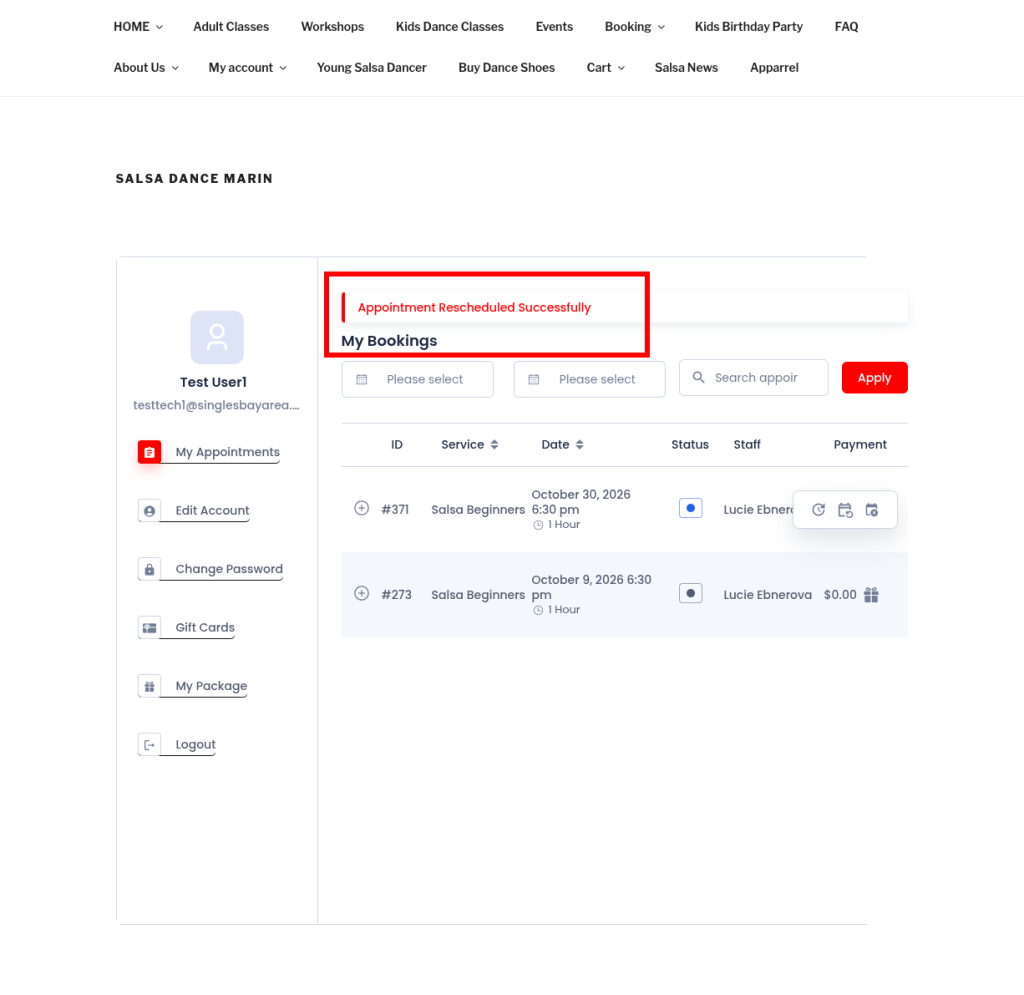
How to reschedule appointments
After scheduling an appointment, you can reschedule them easily by following the directions below
1. Go to the login page
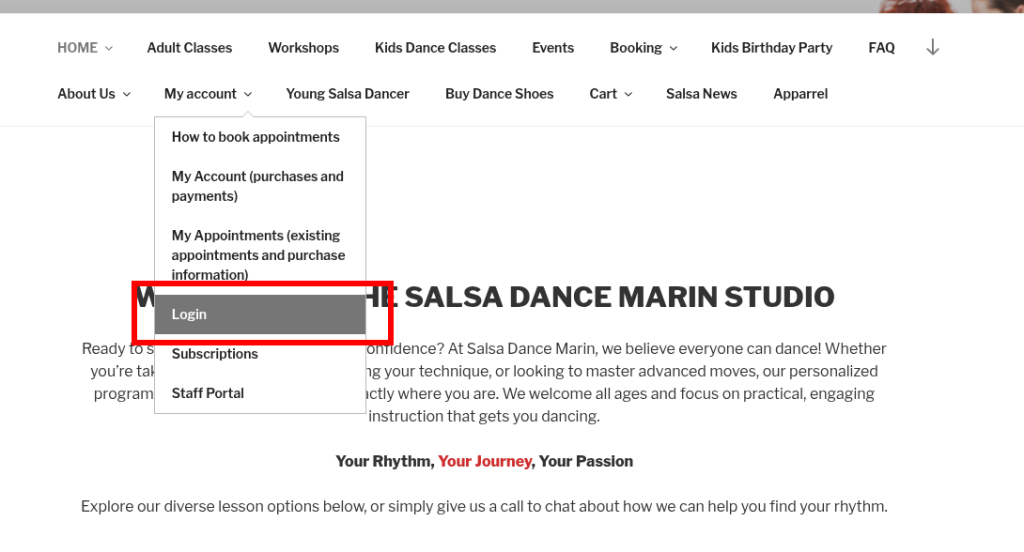
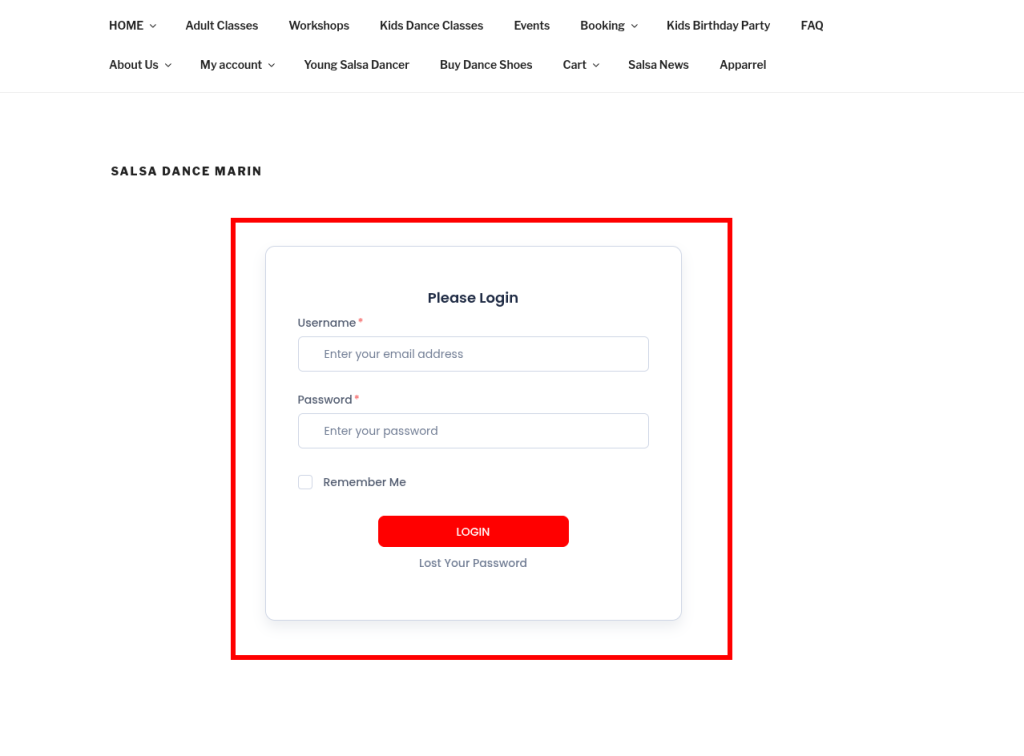
2. Login to your account
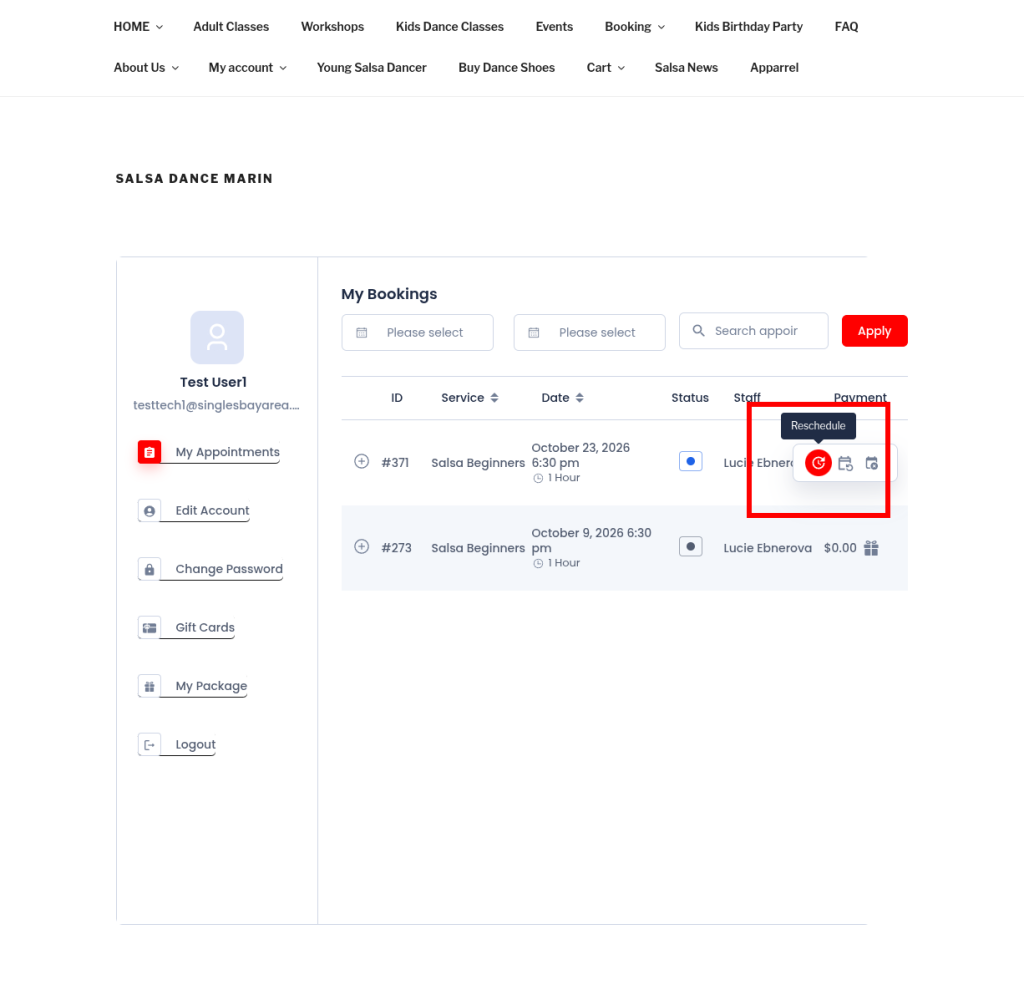
3. Hover over the payment section for the appointment you would like to reschedule
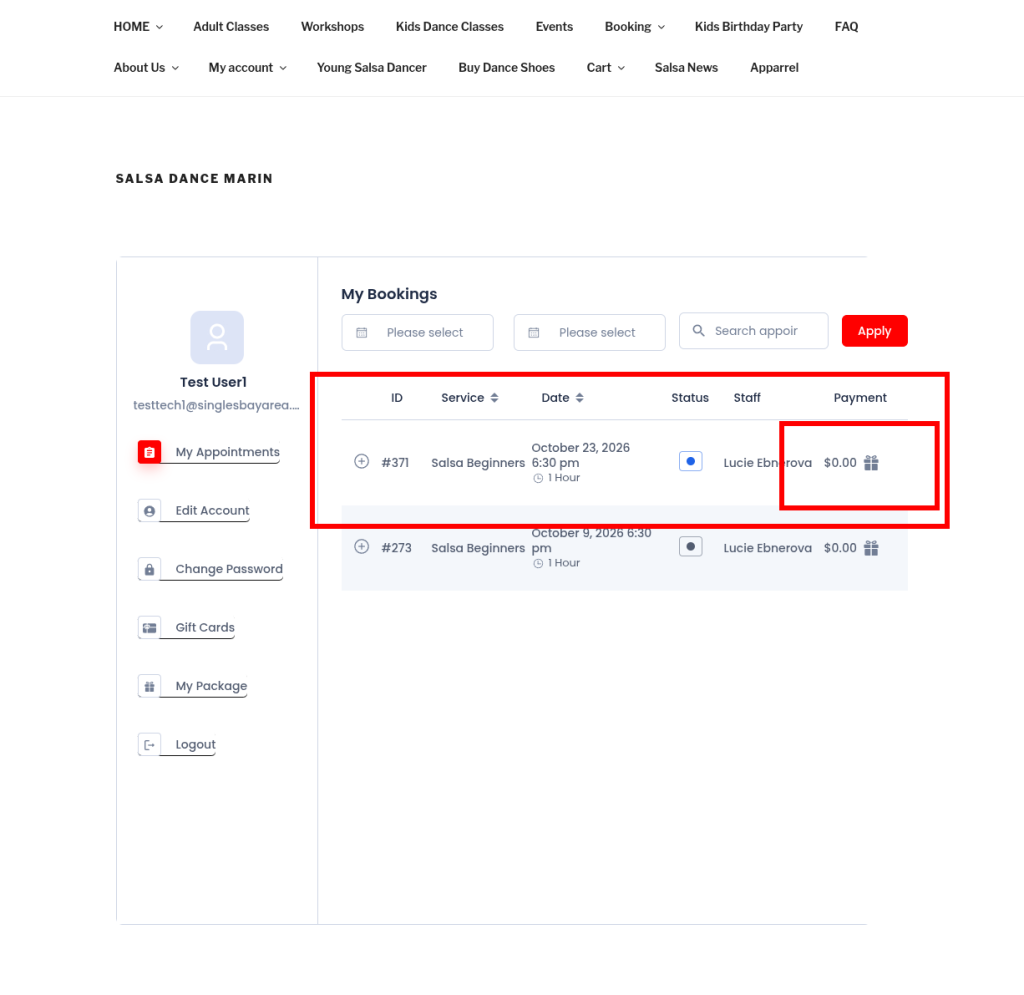
4. Click the reschedule icon which pops up
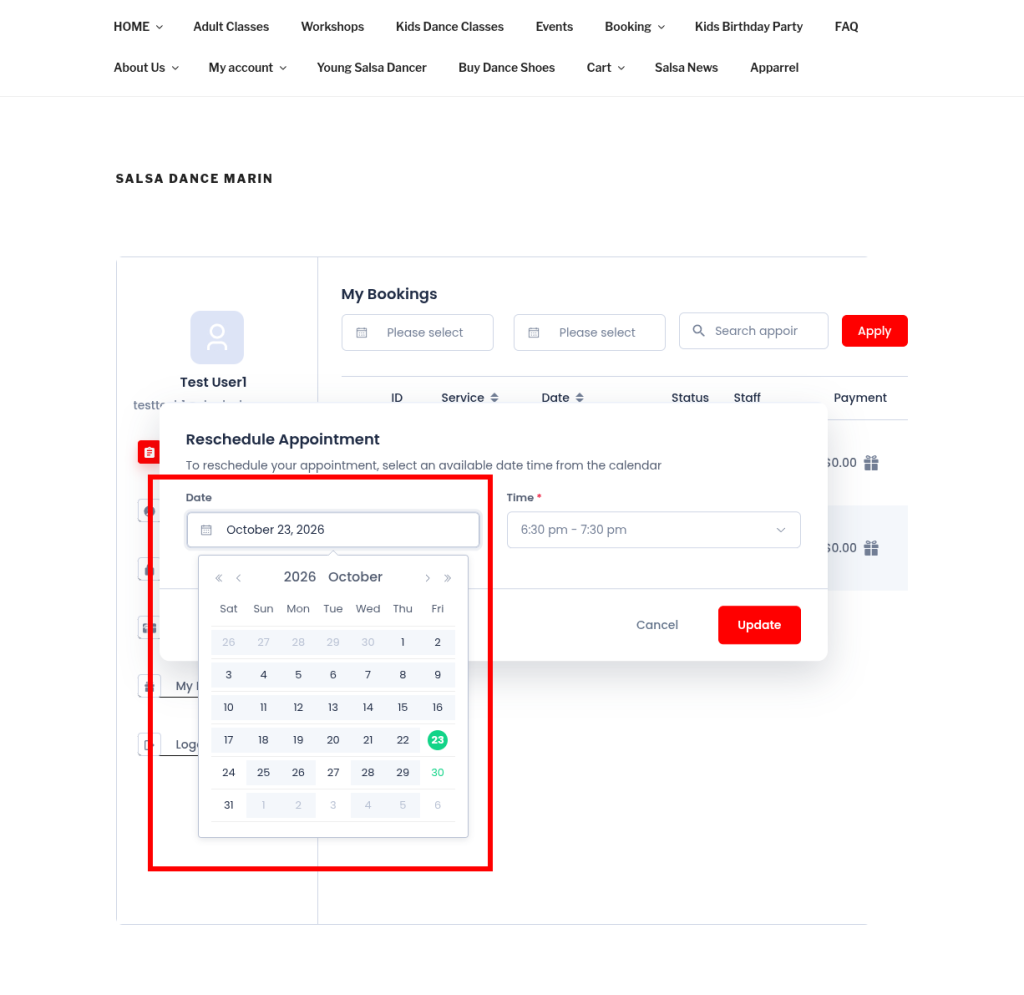
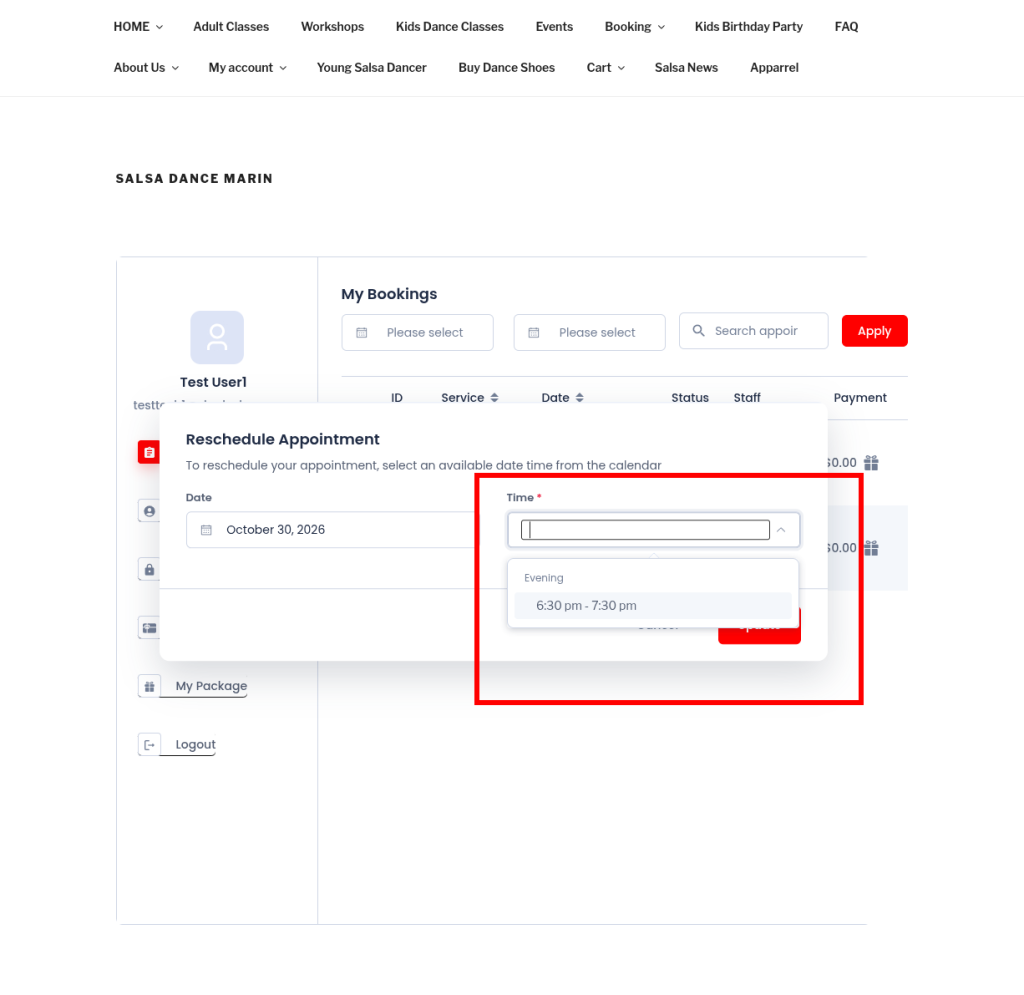
5. Set your preferred date and time
6. Click “update”
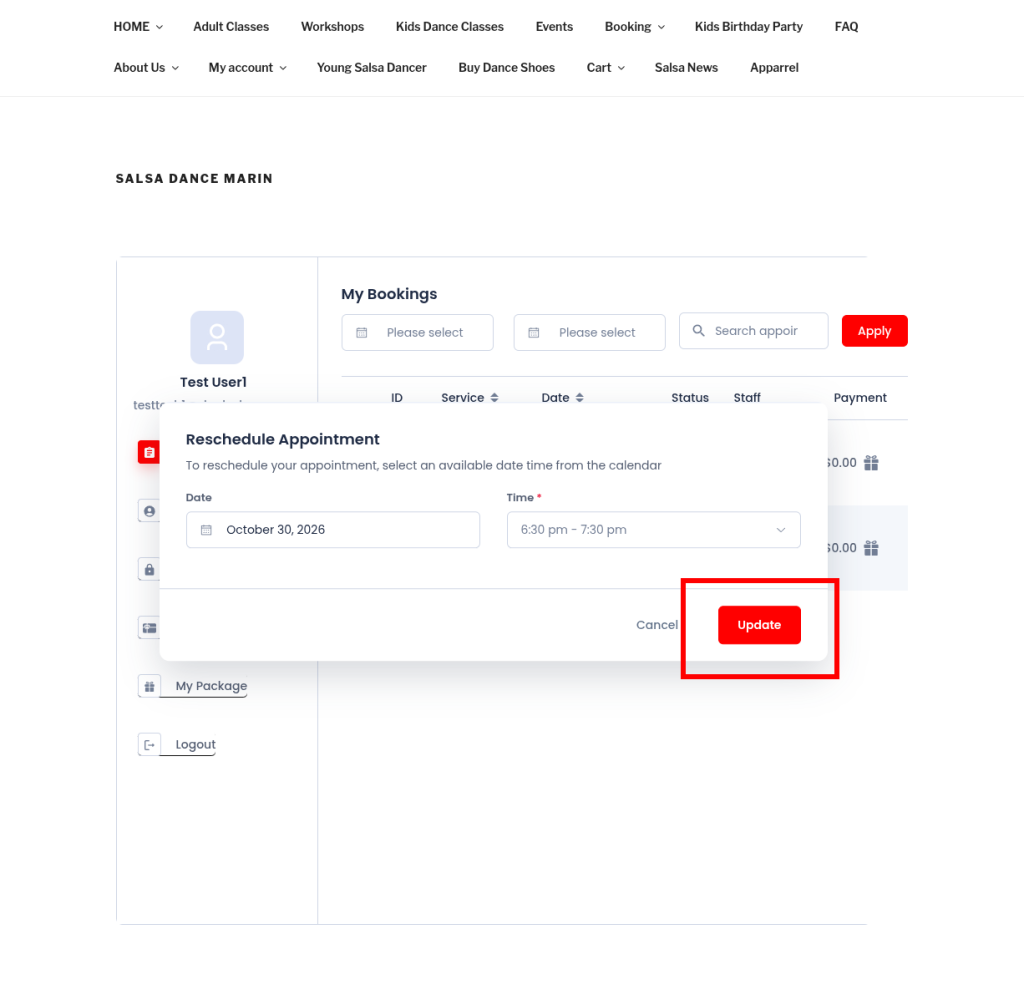
7. Your appointment should be updated successfully