

How to book appointments using a package
After purchasing a package, simply redeem your appointment using your package at checkout on the summary step. See below for visual instructions.
1. Go to Adult Classes Tab

2. Select class you want to book
Select class you want to book and scroll all the way down where it says select service
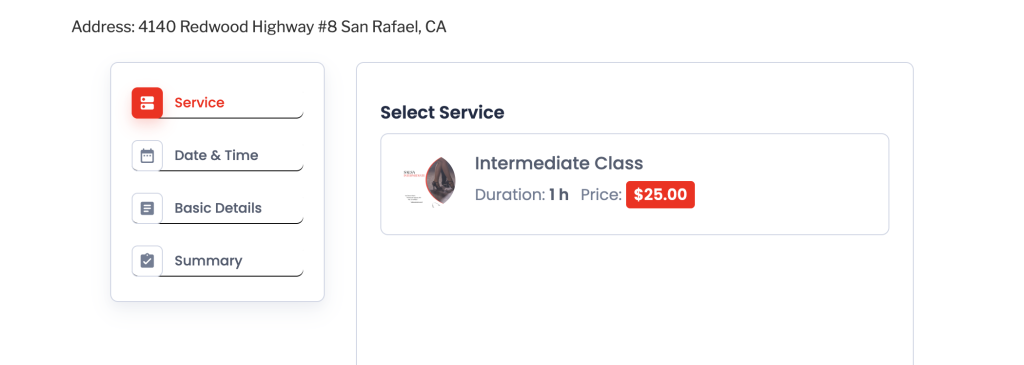
Select a service, date, and time. On the summary page, you will be asked to select your package. (Please note: You must be logged in to your account to view your package.)
3. Select your package
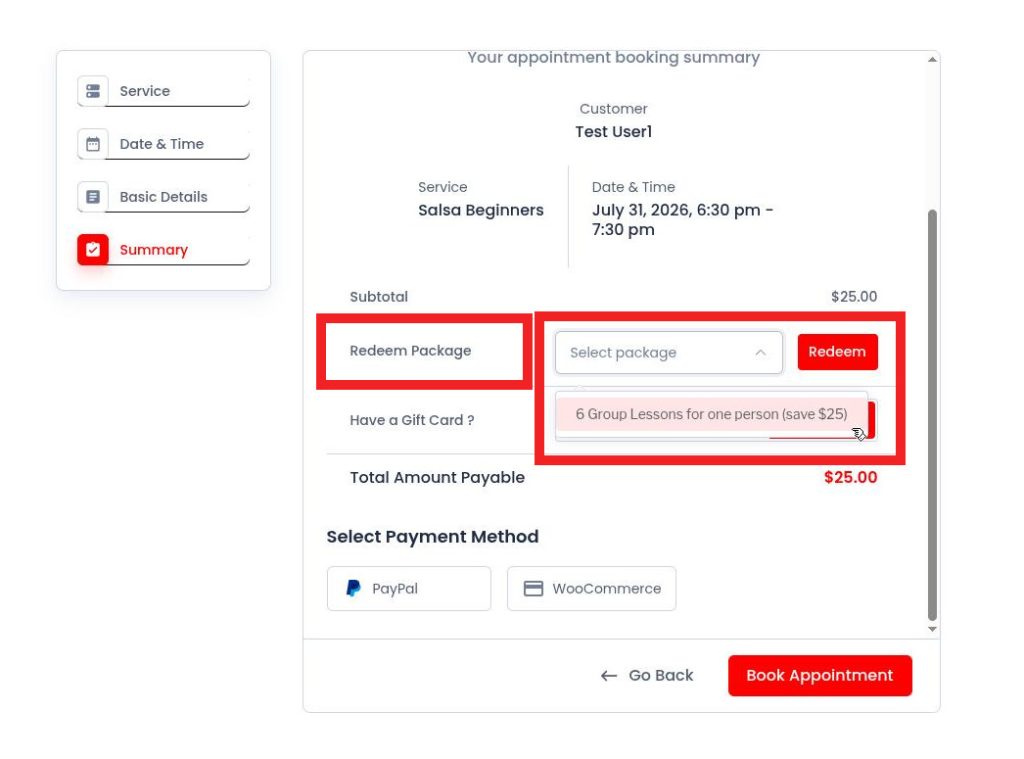
Press red button “redeem” to activate your package. Your total needs to be $0.00 to book the appointment.
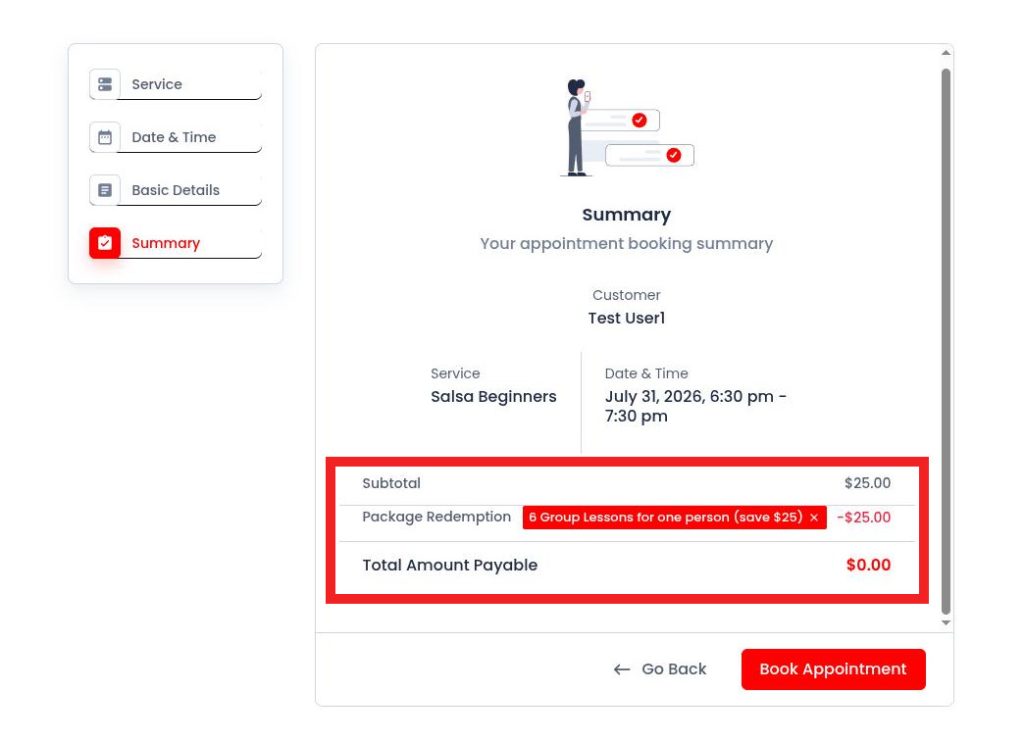
4. Book Appointment
Press “Book Appointment” button to finize booking