

Instructions for booking appointments packages
How to book appointments with Salsa Dance Marin
If you cannot login and need to reset your password, please check your spam folder for our password reset email.
1. Log in to your account by clicking the menu item shown below. You will need to sign in with your email and password.
(Same on phone and computer)
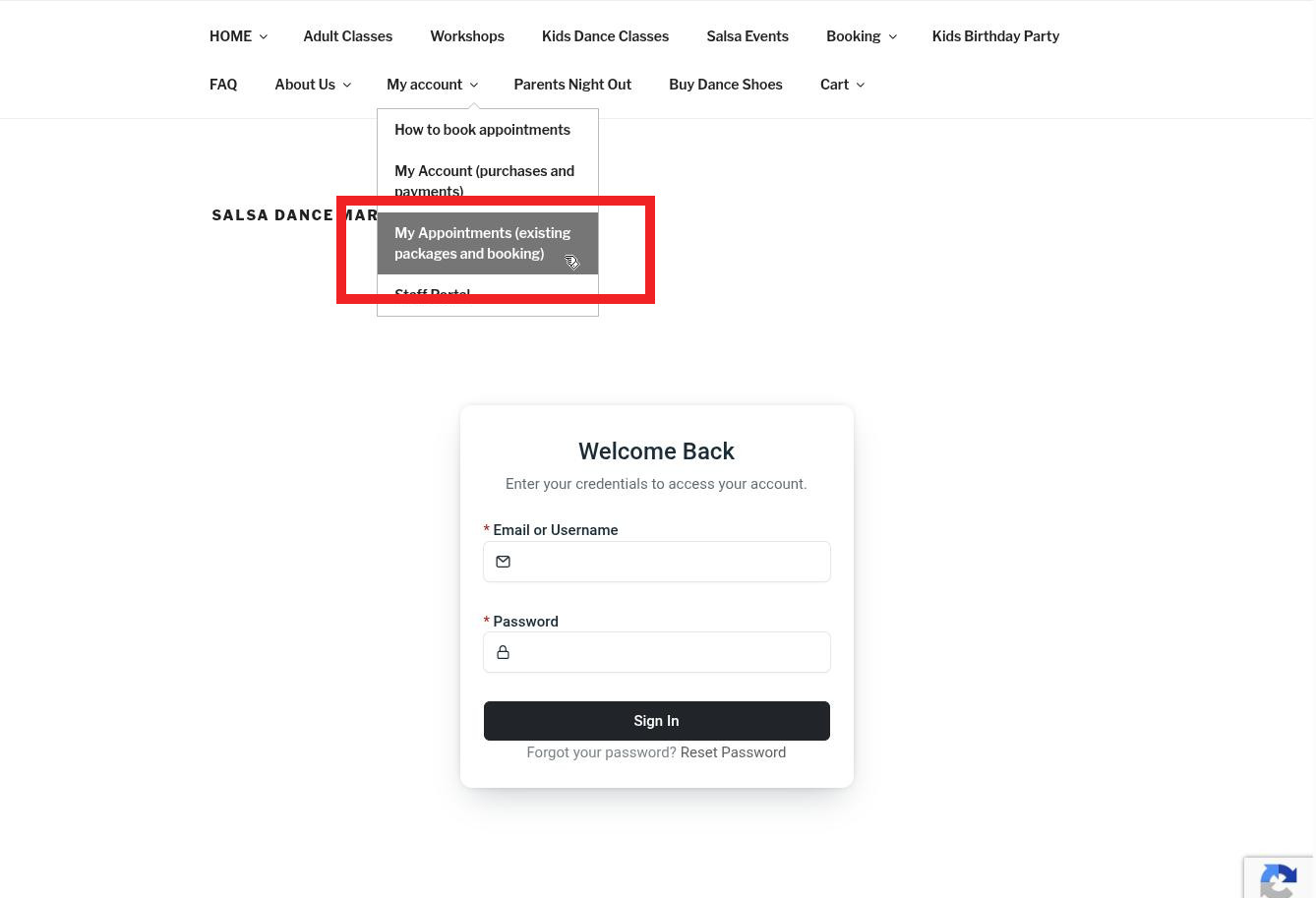
2. Please see view from the computer vs from your phone.
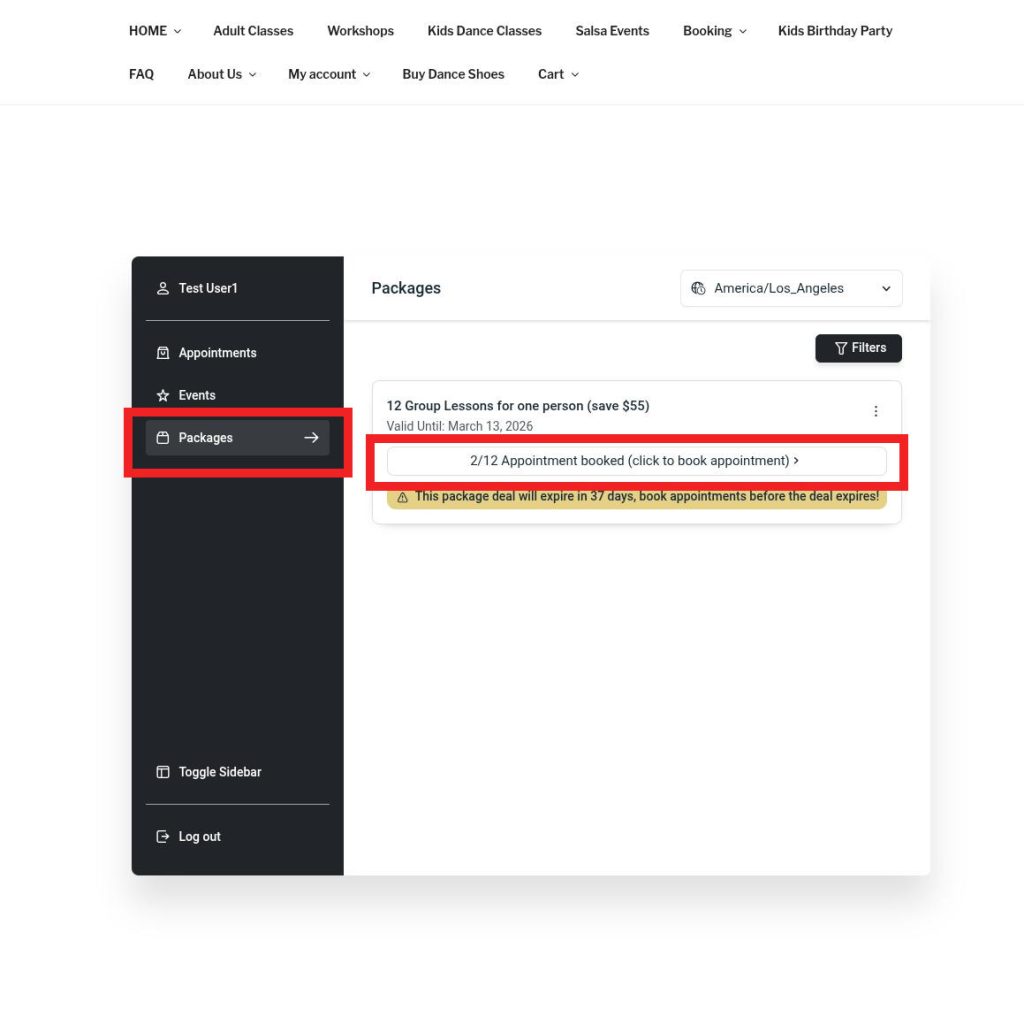
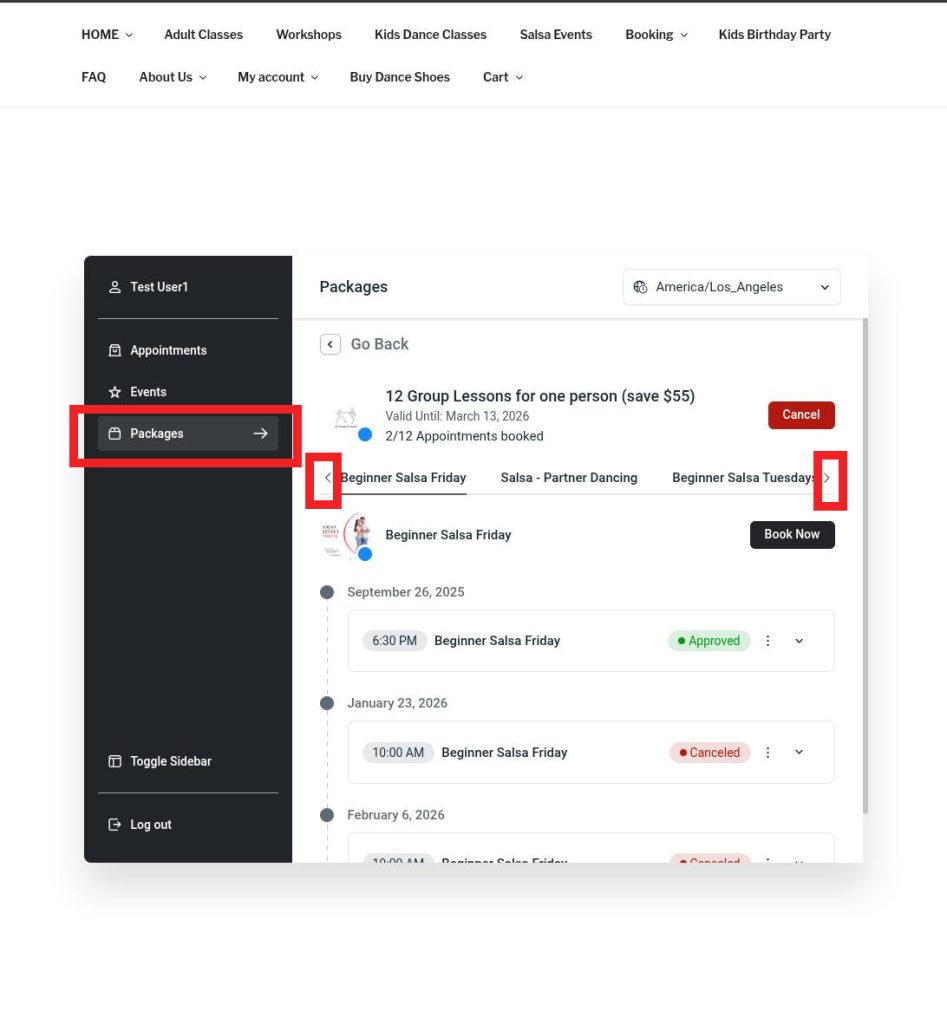
- On your computer – go to packages and select package to book appointment
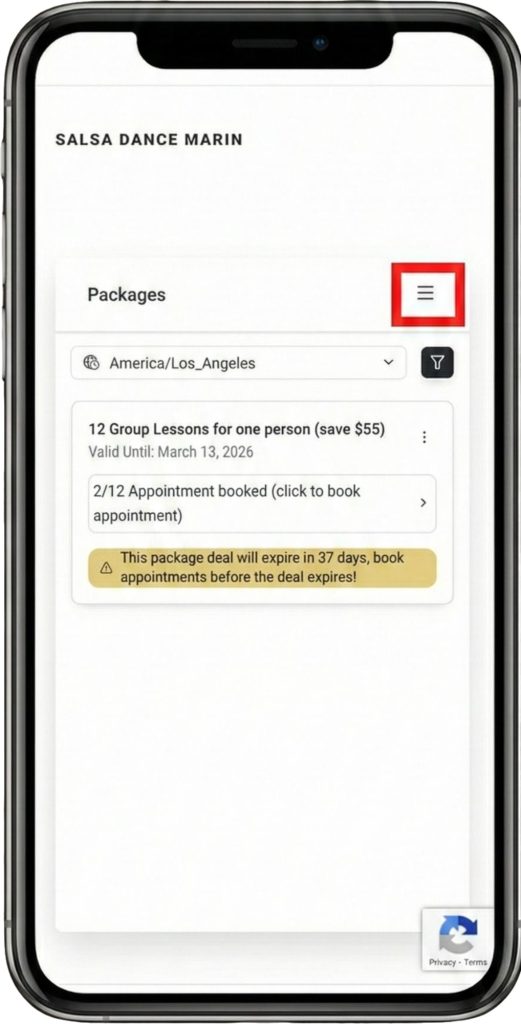
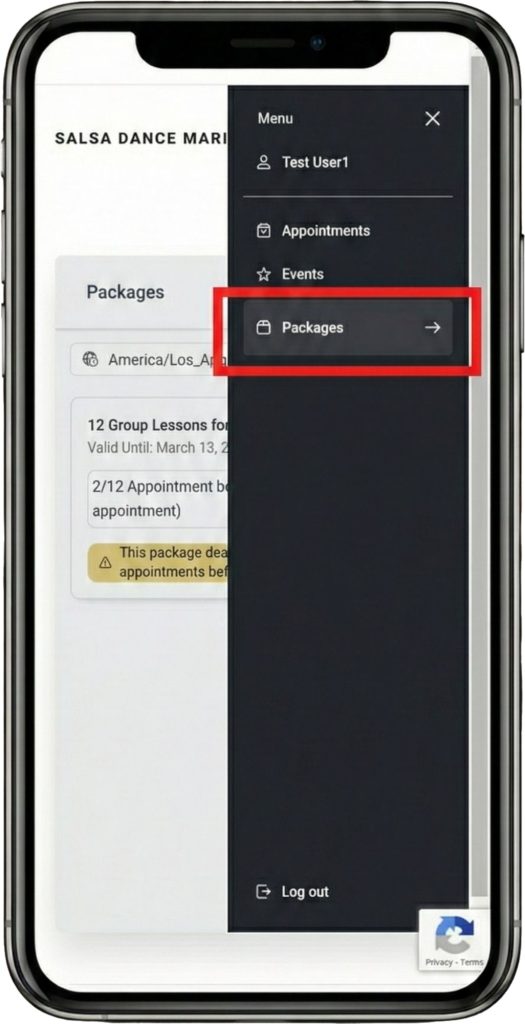
- On you phone – you will see a list of your current booked classes. If you want to book a new class click on three lines (see photos below) , then click on packages and finally select package to book appointment.
ON YOUR COMPUTER
On your computer – go to packages and select package to book appointment
ON YOUR PHONE
On you phone – you will see a list of your current booked classes. If you want to book a new class click on three lines (see photos below) , then click on packages and finally select package to book appointment.
(You can click the images to make them larger)
1.
2.
3.
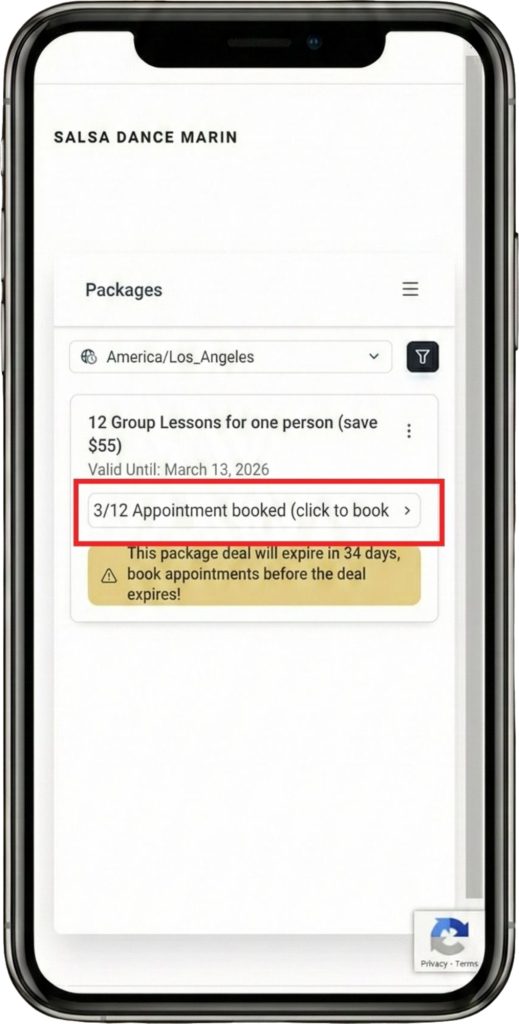
3. Select “Book” and then choose a day. (on your phone and computer)
ON YOUR PHONE
Select the package you are trying to attend; use the arrows to see more packages.
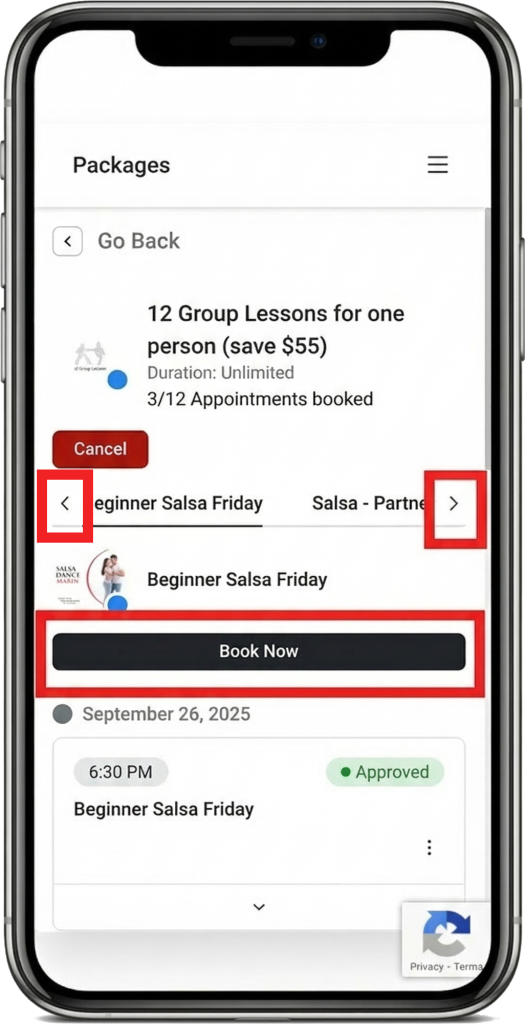
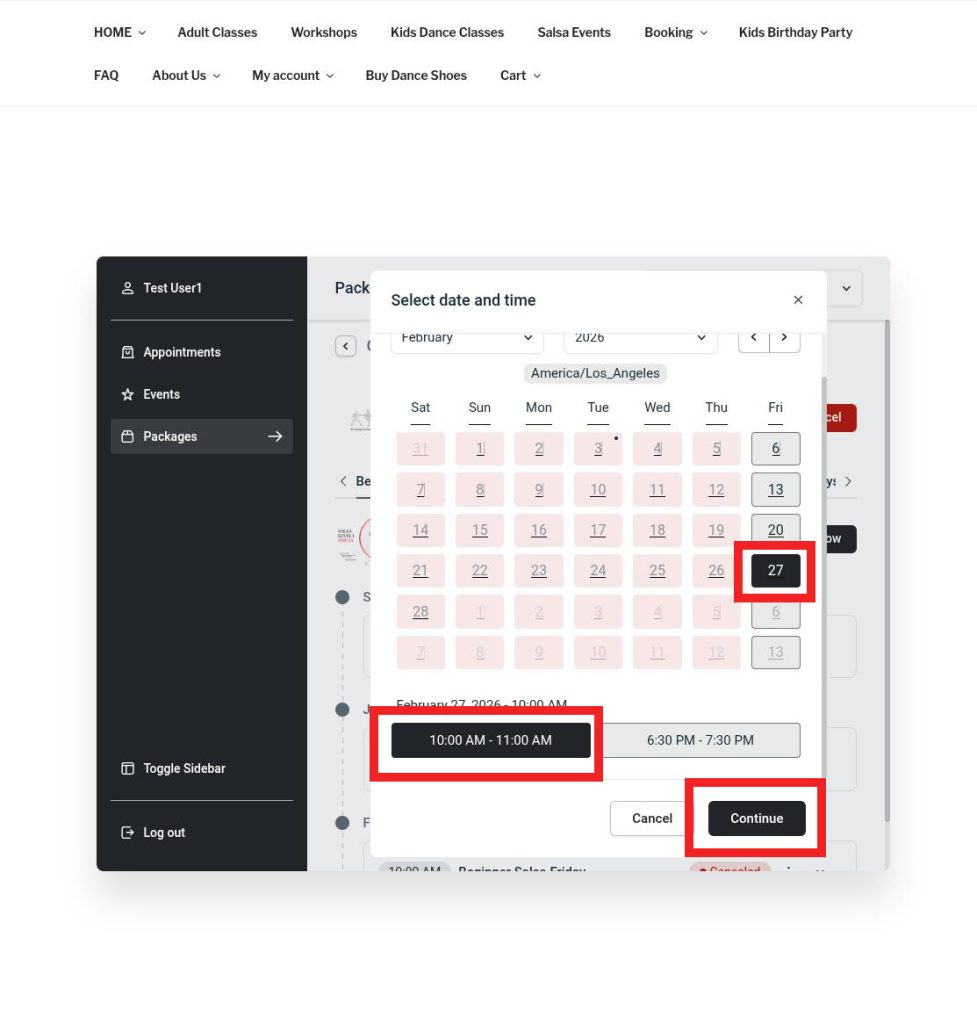
4. Select “book”, after you have selected a time slot (there may be only one available). On your phone and your computer
ON YOUR PHONE
Select the day you would like to attend.
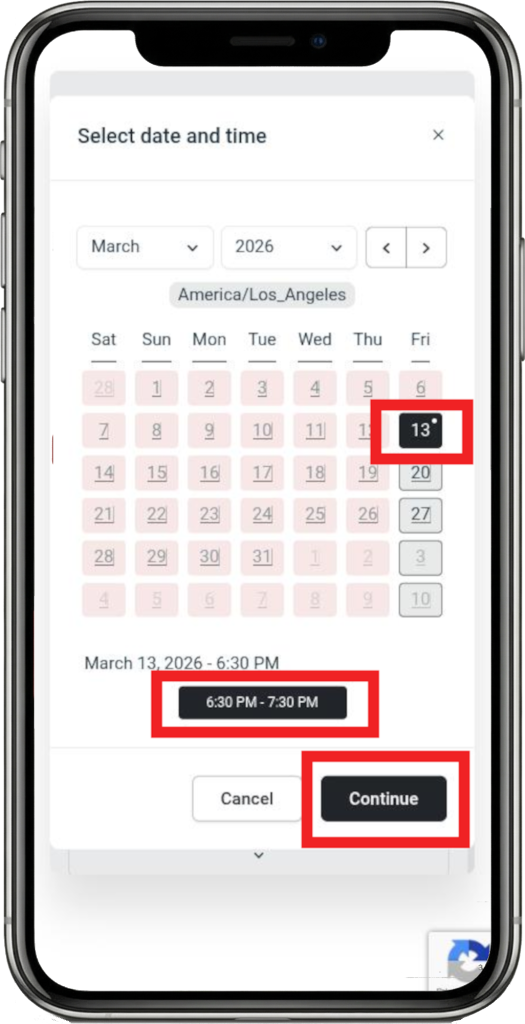
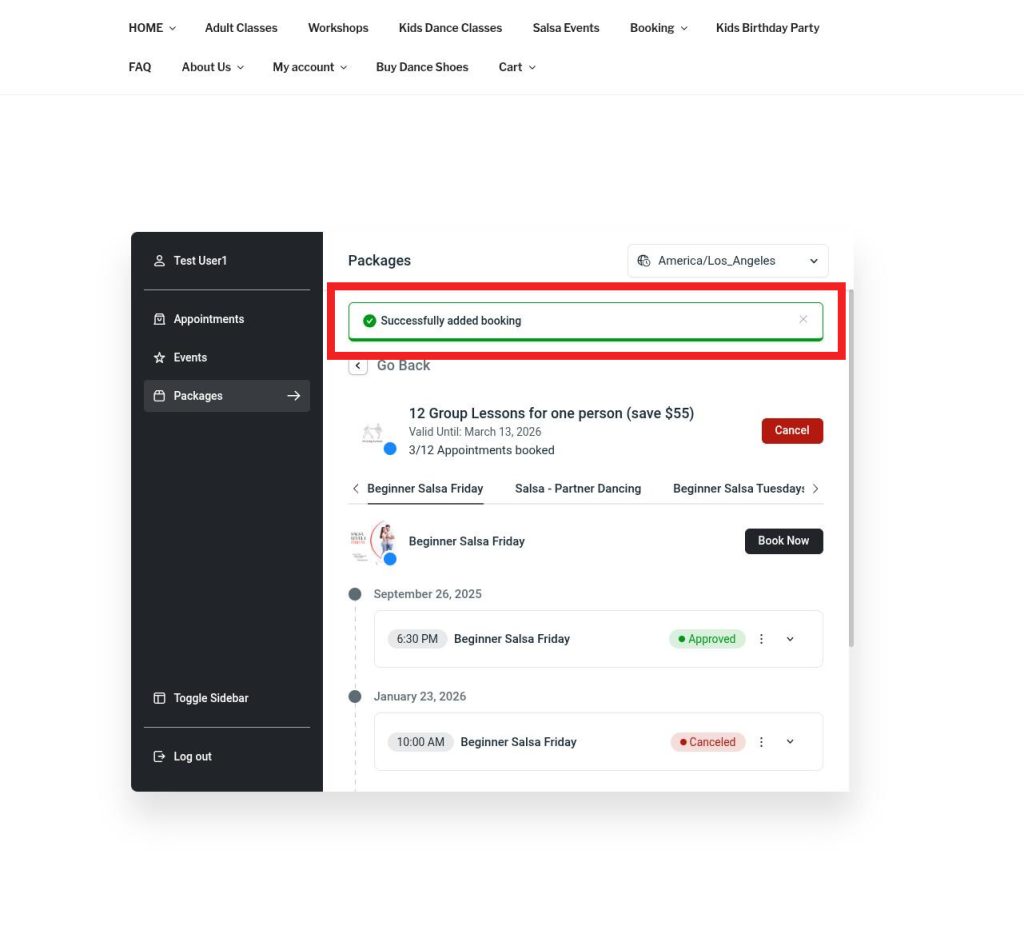
5. This will complete your booking! On your phone and coputer
Instructions for booking multiple appointments for the same class
If you would like to book multiple appointments for the same class (such as for you and your partner), then you would need to book under a separate package, as double booking is not allowed.